
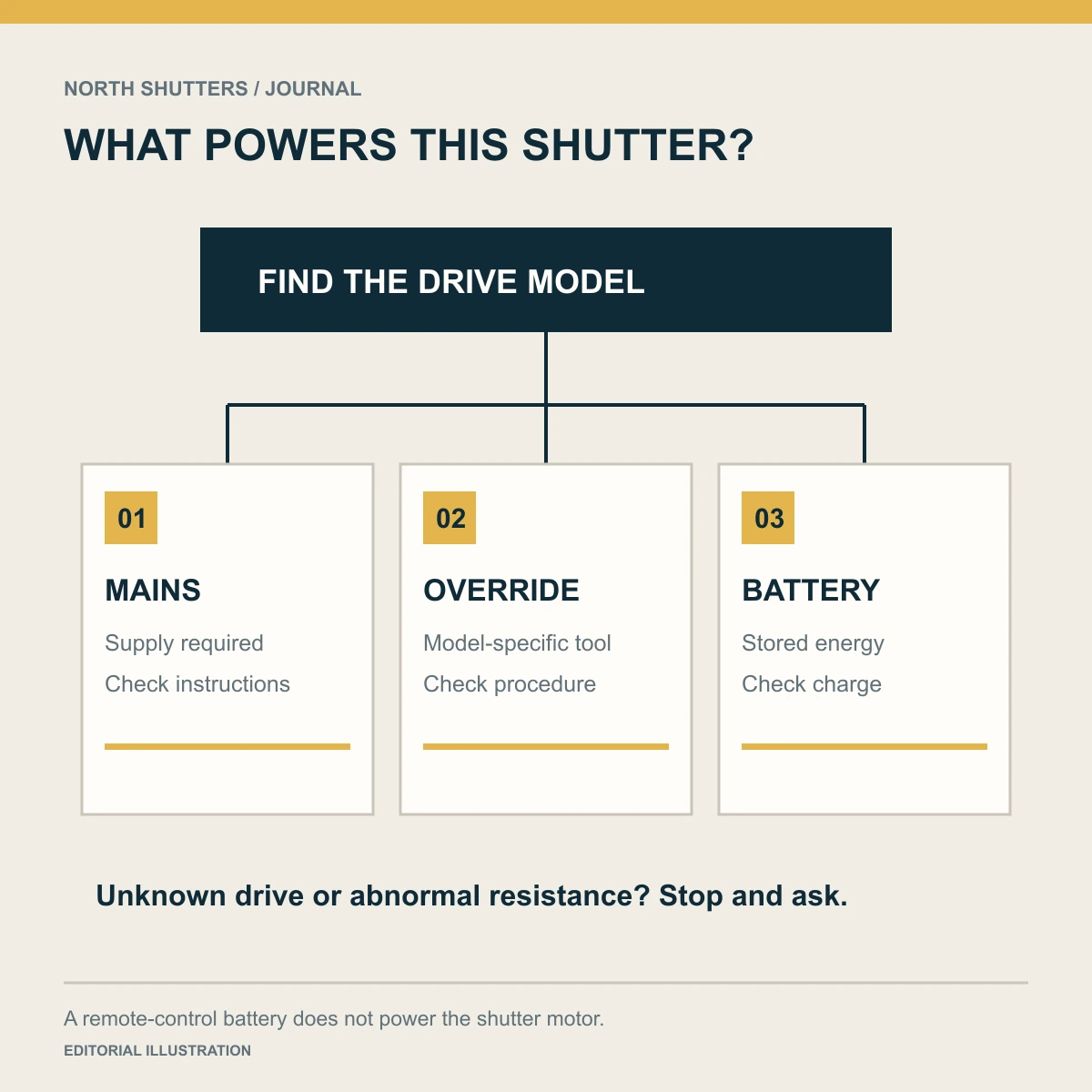
There is no universal power-outage release for motorized shutters. First identify whether the installed system is mains-only, has a manufacturer-provided manual override, or runs from a battery or solar-charged battery. Follow the instructions for that exact arrangement.
The immediate decision
- Mains-only drive: do not expect the remote to move an unpowered motor.
- Documented manual override: use only the supplied mechanism and the model’s instructions.
- Battery or solar system: operation depends on charge, condition and system limits.
- Unidentified mechanism or binding curtain: stop and contact the installer. Do not force the shutter.
Identify the drive before choosing an action
Look for the model in your handover documents, invoice or accessible product label. Record the motor and control separately: the wall switch or remote name may identify only the transmitter. A battery inside a remote powers the remote; it does not establish that the shutter motor has backup power.
| Arrangement | What to establish | What not to assume |
|---|---|---|
| Mains motor, no documented backup | Whether the motor needs building power and the installer’s outage procedure | That every shutter has a release cord or crank |
| Motor with manual override | Correct tool, access point, permitted procedure and operating limits | That a tool fitting the hole makes it the correct tool |
| Battery-powered motor | Charge status, charging method and low-charge behaviour | That a charged remote means a charged motor |
| Solar-charged battery motor | Battery condition, panel suitability and approved charging arrangements | That solar means unlimited operation in any weather |
| Mains motor with separate backup | Approved compatibility, maintenance and expected operation | That any household UPS is suitable |
A manufacturer example makes the distinction concrete
Somfy’s LT50 CMO product information describes a tubular motor with compact manual override for use when electrical power is unavailable. Separately, Somfy’s published SIMU solar-system description explains a motor that draws energy from a battery charged by a solar panel. These are different engineering arrangements, not two names for the same backup feature.
The practical conclusion is to put the exact outage arrangement in the order and handover. Do not infer it from “motorized,” “smart” or a photograph of a remote. These manufacturer examples do not establish which drive is installed in a North Shutters project.
During an outage: use this short sequence
- Keep the travel area clear. Move people and loose items away from the curtain and guides.
- Use the building’s established safe exit route. If someone is trapped or there is immediate danger, contact emergency services rather than trying to dismantle the shutter.
- Identify the installed outage method. Read the handover instructions. If it is unclear, contact the installer with the opening ID and model information.
- Operate only as documented. For an override-equipped system, follow its specific engagement and operating procedure. For stored-energy operation, conserve unnecessary cycles.
- Stop at abnormal resistance, noise or skewing. Do not pull the curtain, pry the bottom bar, remove the hood or bypass controls.
A shutter that will not move during a building outage does not, by itself, need a factory reset. Programming resets can erase settings and are separate from restoring electrical supply. Do not follow an unrelated online reset sequence because the brand name happens to match.
Before the next outage: make the plan usable
- Label each opening and record the drive model and installer contact.
- Store the correct manual and any supplied operating tool where the intended user can reach them safely.
- Ask the installer to demonstrate the approved procedure and who should use it.
- Confirm which openings must remain available for passage or emergency access. Resolve that requirement before selecting or closing a system.
- For battery arrangements, record the approved charging and replacement guidance. Ask how low charge is indicated.
- Review the plan when occupants, staff or building use change.
For a business, decide who may operate the shutter during an outage and how a replacement staff member will find the instructions. For a home, check whether the intended adult can reach the operating point without a ladder. An override that exists but cannot be reached during the relevant situation needs further planning.
When power returns
Clear the travel area and follow the manufacturer’s return-to-service instructions. Watch the next permitted movement from a safe position. If the curtain runs unevenly, stops at an unexpected position or makes unusual noise, stop using it and arrange service. Avoid changing limit settings or repeatedly cycling a system that is behaving abnormally.
Put the plan into practice
Choose everyday controls · Document an opening · Motorized shutter planning
Sources & further reading
- Somfy LT50 CMO: compact manual override
- Somfy: solar-system motor, panel and battery description
- Somfy: factory reset is a separate programming procedure
Sources reviewed October 30, 2026.